

25MM Roller Blinds Motor
Category: Tubular Motor
25mm Battery powered tubular motor
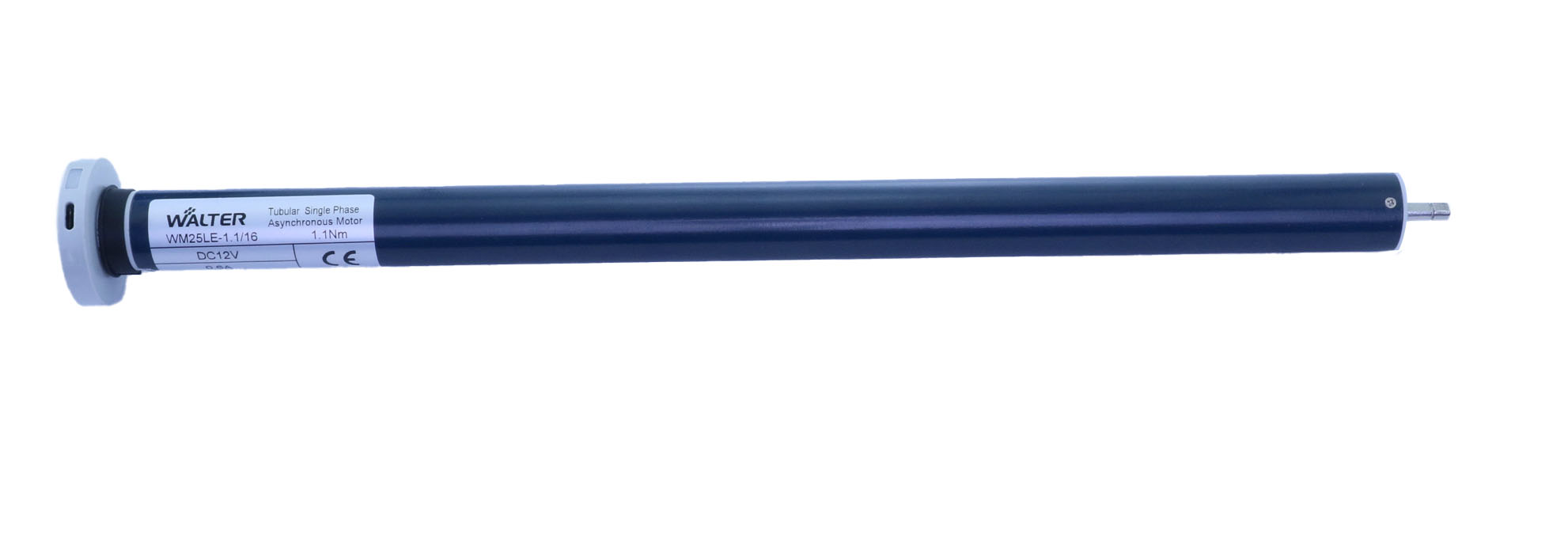
WM25BB
- 25mm
- Battery power
- Electronic Limit Switch
- Bluetooth
- RF Receiver 433.92
WM25BM
- 25mm
- Battery power
- Electronic Limit Switch
- Matter
- RF Receiver 433.92
WM25BW
- 25mm
- Battery power
- Electronic Limit Switch
- Wifi
- RF Receiver 433.92
AC powered 25mm Tubular Motor
WM25AM
- 25mm
- AC 100-240V
- Electronic Limit Switch
- Matter
- RF Receiver 433.92
WM25AZ
- 25mm
- AC 100-240V
- Electronic Limit Switch
- Zigbee
- RF Receiver 433.92
WM25AB
- 25mm
- AC 100-240V
- Electronic Limit Switch
- Bluetooth
- RF Receiver 433.92
WM25AR
- 25mm
- AC 100-240V
- Electronic Limit Switch
- RF Receiver 433.92
DC powered 25mm Tubular motor
WM25DW
- 25mm
- DC 12V optional 7.4V/24V
- Electronic Limit Switch
- WIFI
- RF Receiver 433.92
WM25DM
- 25mm
- DC 12V optional 7.4V/24V
- Electronic Limit Switch
- Matter
- RF Receiver 433.92
WM25DZ
- 25mm
- DC 12V optional 7.4V/24V
- Electronic Limit Switch
- Matter
- RF Receiver 433.92
WM25DB
- 25mm
- DC 12V optional 7.4V/24V
- Electronic Limit Switch
- Bluetooth
- RF Receiver 433.92
WM25DR
- 25mm
- DC 12V optional 7.4V/24V
- Electronic Limit Switch
- RF Receiver 433.92
25mm Tubular Motor Series | Smart Motors
Welcome to the future of automated shading. The Walter Motor (WM) 25mm tubular motor series provides high-performance, whisper-quiet motorization for roller shades, zebra blinds, and roman shades. Designed with a modular approach, our motors allow you to choose the exact combination of power and smart connectivity that fits your home.
🔍 Understanding the Model Name
We make it easy to find the right motor. Every model follows a simple logic:
WM – 25 – [Power] – [Protocol]
- WM: Walter Motor (Brand)
- 25: 25mm Outer Diameter (Fits standard 38mm/1.5″ tubes)
- 1st Letter: Power Source
- 2nd Letter: Communication Protocol
🛠 Modular Configuration Options
1. Power Source (First Letter)
Choose the power delivery that matches your installation environment:
| Code | Type | Best For… |
| A | AC Power | High-performance, constant power without recharging. |
| B | Battery Power | Wire-free installation; perfect for retrofitting existing windows. |
| D | DC Power | 12V low-voltage safety and ultra-quiet operation. |
| U | USB Power | Universal charging using standard USB power bricks. |
| T | Type-C Power | Modern, fast-charging integration via USB-C. |
2. Smart Protocols (Second Letter)
Choose how your motor connects to your smart home ecosystem:
| Code | Protocol | Compatibility |
| W | Wi-Fi | Connects directly to your router (No hub required). |
| M | MATTER | The Industry Standard: Native support for Apple, Google, and Alexa via Thread. |
| B | Bluetooth | Simple point-to-point control via smartphone. |
| Z | Zigbee | Ultra-low power mesh networking (Requires Zigbee gateway). |
| R | Radio (433.92) | Traditional remote control functionality. |
📊 Model Comparison Table
Use this table to find the perfect Walter Motor for your specific project needs.
| Model | Power Type | Smart Protocol | Installation Effort | Hub Required? |
| WM25DM | 12V DC (Hardwired) | Matter (Thread) | Medium (Wiring req.) | Thread Border Router |
| WM25AW | 110-240V AC | Wi-Fi | High (Electrician) | No (Direct to Wi-Fi) |
| WM25BZ | Built-in Battery | Zigbee | Very Low (Wireless) | Zigbee Gateway |
| WM25TR | Type-C Recharge | RF 433 | Very Low (Wireless) | Remote Control only |
| WM25UW | USB Constant | Wi-Fi | Low (Plug & Play) | No (Direct to Wi-Fi) |
🚀 Quick Start Guide: WM25DM (Matter over Thread)
The WM25DM is our flagship model. Because it uses Matter, setup is standardized across Apple, Google, and Alexa.
Step 1: Physical Installation
- Slide the WM25DM into your 38mm (1.5″) aluminum roller tube.
- Secure the idler end and mount the brackets to your window frame.
- Connect the 12V DC power leads to your power supply.
Step 2: Setting Limits (The Remote Method)
Before pairing with your Smart Home app, use a Walter Radio Remote to set your travel limits:
- Pair Remote: Hold the “Program” button on the motor head for 2 seconds until the motor jogs. Press “Up” on the remote.
- Set Upper Limit: Move the shade to the top. Press
Stop + Upsimultaneously for 2 seconds. - Set Lower Limit: Move the shade to the bottom. Press
Stop + Downsimultaneously for 2 seconds.
Step 3: Matter Pairing (The Smart Home Method)
- Ensure your Thread Border Router (e.g., Apple HomePod, Nest Hub Gen 2, or Echo Hub) is active.
- Open your preferred app (Apple Home, Google Home, etc.).
- Select “Add Accessory” and scan the Matter QR Code located on the motor head or the manual.
- Wait for the “Thread Commissioning” to complete. Your motor is now ready for voice commands and automation!
🏷️ Why WM25DM is the “Future-Proof” Choice
- No Cloud Dependency: Matter works locally. Even if your internet goes down, your scheduled blinds will still work.
- Multi-Admin: You can control the WM25DM from an iPhone/Siri and an Android/Google Home tablet at the same time.
- Thread Mesh: Each WM25DM motor strengthens your home’s Thread network, ensuring better range for other smart devices.